Simplify Your NetSuite Accounting: How to Post Sales Order Line Items to Custom Accounts
Ever struggled with getting a single line item on a sales order to post to a specific account instead of your default sales account? If you’re like most NetSuite users, you’ve probably found yourself creating manual journal entries after the fact or wrestling with complex workarounds just to get one miscellaneous charge to hit the…
Ever struggled with getting a single line item on a sales order to post to a specific account instead of your default sales account?
If you’re like most NetSuite users, you’ve probably found yourself creating manual journal entries after the fact or wrestling with complex workarounds just to get one miscellaneous charge to hit the right account. There’s a better way.
The Problem You Know Too Well
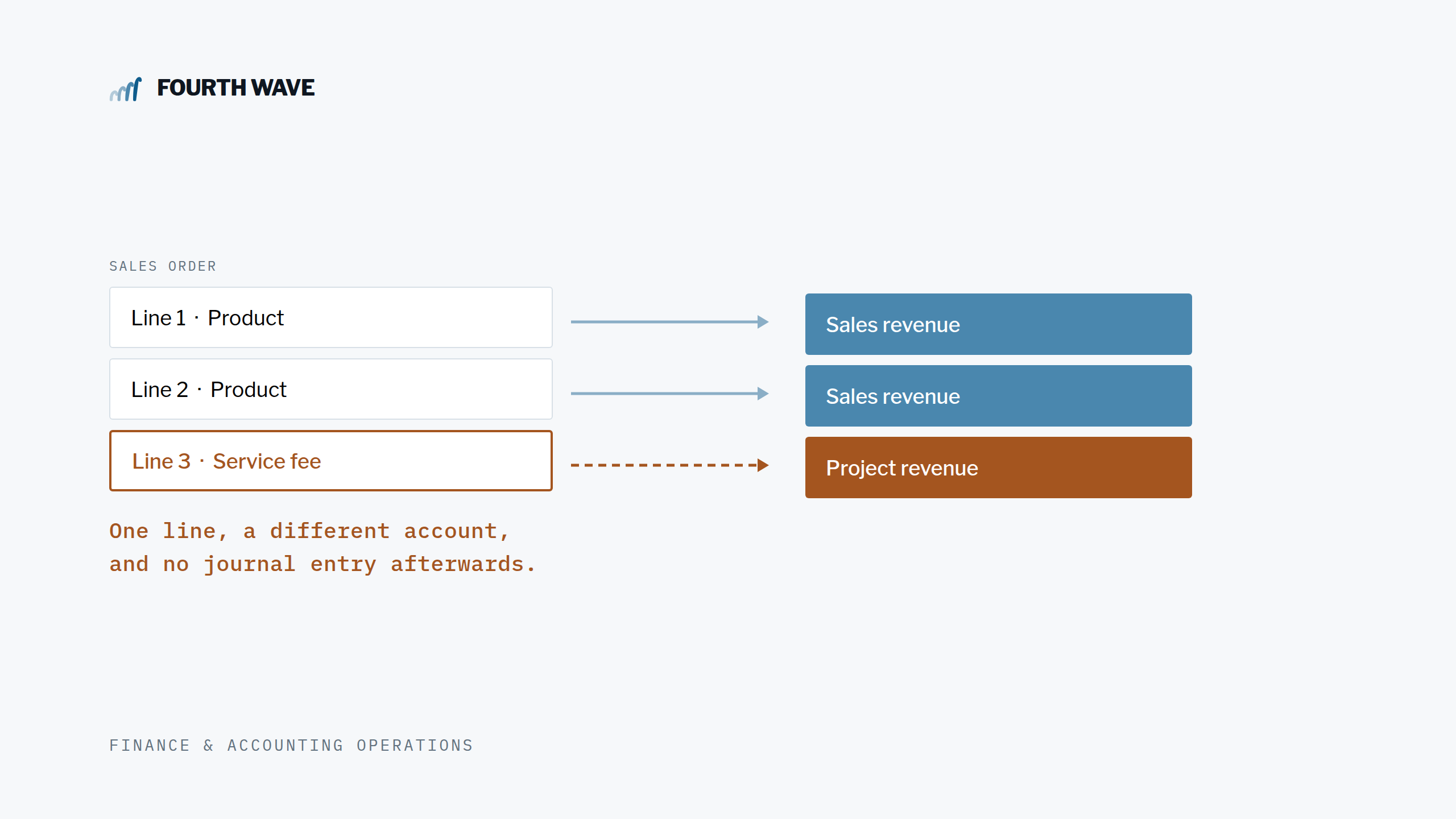
Picture this scenario: You’re processing a sales order that includes a special service fee that needs to post to a project-specific revenue account, not your standard sales account. Or maybe you have a miscellaneous charge that should hit a different department’s budget.
Traditionally, you might:
- Let it post to the wrong account and fix it later with journal entries
- Try to set up complex item records for every possible scenario
- Spend time manually adjusting entries each month
Sound familiar? You’re not alone.
Meet Your Solution: Transaction Line Distribution (TLD)
When working with NetSuite, aligning a line item to a specific account involves configuring settings that ensure accurate financial tracking. NetSuite’s tools enable users to categorize each item effectively, simplifying financial processes and enhancing reporting accuracy.
Managing complex sales orders in NetSuite requires precise control over how individual line items are allocated to accounts, departments, or segments. The Transaction Line Distribution SuiteApp allows users to automate and customize these allocations—especially useful for posting a single miscellaneous item on a sales order to a specific account. This blog post explains how to achieve this using a Quick Distribution Rule.
What is the Transaction Line Distribution SuiteApp?
The Transaction Line Distribution SuiteApp enables organizations to distribute transaction amounts—at either the header or line level—across multiple accounts, subsidiaries, departments, or custom segments. This flexibility ensures that sales orders and invoices accurately reflect business transactions, aiding in streamlining reporting and compliance.
What TLD Actually Does
In simple terms, TLD lets you:
- Override where individual line items post on sales orders and invoices
- Split a single line across multiple accounts, departments, or locations
- Create these rules on-the-fly, right when you need them
- Eliminate manual journal entries for routine allocations
How To Step-by-Step: Distributing a Miscellaneous Item to a Custom Account
1. Add a Miscellaneous Item to Your Sales Order
- Create or edit your sales order as usual.
- Add your miscellaneous item to the order lines.
2. Access the Quick Distribution Rule
- In the *Items* subtab, click on the line for your miscellaneous item.
- Click Enter Quick Distribution. This opens the Quick Distribution Rule popup window

3. Configure the Distribution Rule
Within the popup:
- Select the transaction line(s) you want the rule applied to (in this case, your misc item).
- In the *Distribution Information* section, you can:
- Uncheck Use Source Accounts.
- Optionally, check other boxes to use source segments like department, location, or custom segments.
- In the *Distribution Lines* section:
- Specify the destination account you want the invoice or cash sale line to post to.
- Enter the distribution amount or percentage (for a single misc item, this is typically 100% of the line amount).
4. Save and Review
- Click Save. The Quick Rule is now applied to that line.
- When the sales order is billed, NetSuite will automatically generate the appropriate journal entries, allocating the amount to your specified account.
Why Use Quick Distribution Rules?
- No Predefined Rules Needed: You can create a distribution on-the-fly without setting up templates in advance—ideal for ad hoc or one-off allocations.
- Line-Level Precision: Each transaction line can have its own unique distribution rule, allowing granular control over financial postings.
- Automated Journal Entries: Once the transaction is approved, NetSuite handles the journal entries automatically, reducing manual work and errors.
Example Use Case
Suppose a custom service (misc item) needs to post revenue to a special project account rather than the default sales account. Using the steps above, the correct account can be assigned at the line level to maintain financial accuracy and streamlined reporting.
Key Benefits
- Efficiency: No need to manually create journal entries or allocate lines after the fact.
- Accuracy: Ensures each invoice line posts to the correct account, department, or segment.
- Flexibility: Supports both recurring and one-off allocation needs, with or without templates.
Other ways to use TLD
- Automated intercompany funds recording: When a check is recorded for the distribution of funds to another subsidiary, the TLD app can create a journal entry in the other subsidiary to record the debit of cash and the credit to a due from asset account.
- Record intercompany purchases: When one subsidiary purchases items for itself and other subsidiaries, TLD can make a journal entry in the other subsidiaries to record the due to liabilities as well as the expense account debits.
- Record intercompany credit card purchases from the Match Bank Data: When entering a new transaction from the Match Bank, you can use the Journal entry option and a TLD to log the transaction in another subsidiary.
Feature Comparison:
| Feature | Standard NetSuite | Transaction Line Distribution SuiteApp |
|---|---|---|
| Manual Allocation Needed | Yes | No (Automated) |
| Supports Intercompany | Limited | Yes |
| Real-Time Allocation | No (Batch) | Yes |
| Template-Based Allocation | No | Yes |
| Line-Level Distribution | Limited | Yes |
The Bottom Line
If you’re spending time each month creating journal entries to fix where line items are posted, or if you’ve ever wished you could just tell NetSuite “post this line to that account,” TLD is worth exploring. It’s one of those NetSuite features that can significantly streamline your month-end process once you know it exists. You can find the bundle in the SuiteApps tab in your NetSuite interface.
Have Questions? We are here to help. Contact us for an hour of free consulting and ask us any questions you might have. We love to help NetSuite companies discover the full power of the system!