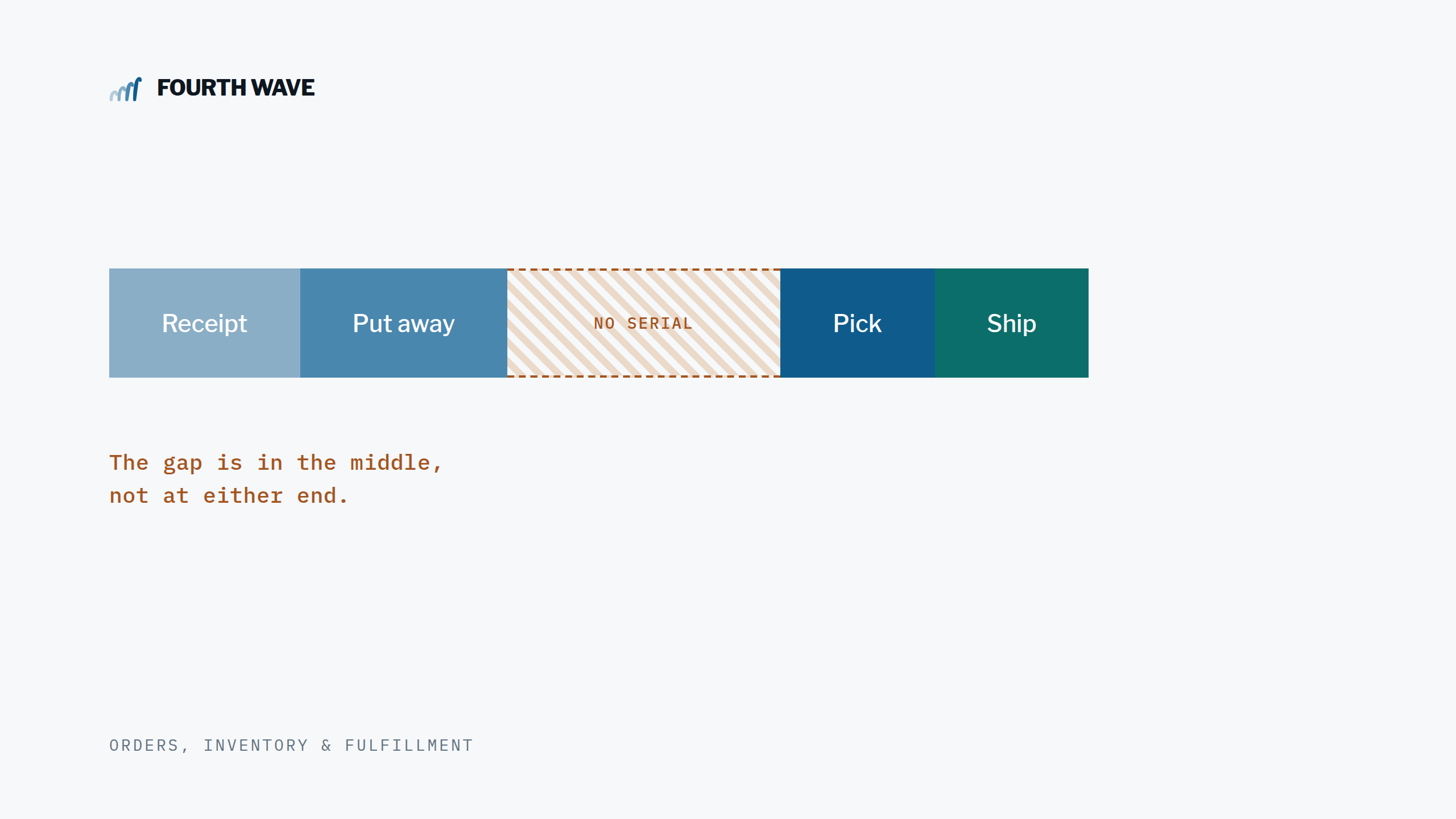
Closing the Serial Number Gap in NetSuite WMS
Closing the Serial Number Gap in NetSuite WMS A lightweight serial-tracking layer for distributors — capture at pick, clean up at reverse pick, without the overhead of full serialized inventory. The distributor’s dilemma If you ship serialized products through NetSuite WMS — electronics, audio equipment, regulated goods, anything covered by warranty — you eventually face…
Closing the Serial Number Gap in NetSuite WMS
A lightweight serial-tracking layer for distributors — capture at pick, clean up at reverse pick, without the overhead of full serialized inventory.

The distributor’s dilemma
If you ship serialized products through NetSuite WMS — electronics, audio equipment, regulated goods, anything covered by warranty — you eventually face a frustrating choice.
NetSuite does support serialized inventory natively. The feature exists. But it’s built for manufacturers: it locks each serial number into its own cost layer, drives GL impact at the unit level, and integrates deeply with assembly builds, work orders, and standard costing. For a manufacturer that needs all of that, it’s the right tool.
For a distributor, it’s a sledgehammer for a finishing nail. You don’t need cost-layer accounting on every serial. You don’t need every inbound unit to become its own inventory record. You just need to answer one question reliably: “Which serial number went to which customer?”
Most distributors who turn on full NetSuite serialized inventory regret it within a quarter. The reporting gets messier, picks get slower, and you end up with thousands of single-quantity inventory records that don’t reflect how the business actually moves product.
So most distributors do what most distributors do: they capture serials in spreadsheets, in manual desktop entry after the pick, or worse, by memory. The data ends up captured eventually — but rarely cleanly, rarely at the moment of truth, and rarely without a downstream reconciliation step.
And when something goes wrong on a pick — wrong unit, damage, picker error — and the team performs a reverse pick, the gap widens. Inventory rolls back correctly, but any serial tracking the team has cobbled together is left orphaned. Suddenly you have a record of serial number ABC123 going to Customer A on Sales Order 13238, when in reality that serial is sitting back on the shelf and a different serial went out instead.
Multiply that across hundreds of orders a month, and the integrity of your serial-level traceability quietly degrades — until the day you need it for a recall, a warranty claim, or an audit.
The right-sized solution: tracking without the overhead
For one of our NetSuite WMS clients — an electronics distributor moving thousands of serialized speakers and audio components every week — we built a lightweight serial-tracking layer that gives them everything they actually need without the operational baggage of full serialized inventory.
The architecture is simple: items stay non-serialized in the inventory subledger. A custom record captures each serial number as it’s picked, links it to the order, item, line, and customer, and stays out of the way of the financial postings. The picker workflow is unchanged in feel — they scan, the system validates, and they move on.
What the picker sees on the handheld:
- Serial capture at pick. When a picker scans a serialized item, the handheld prompts them for the serial on the unit they’re picking. Each scan is validated in real time against the item’s expected format pattern, checked for duplicates against the live database, and stored against the order, item, and pick task line.
- Serial generation for sequential ranges. When a picker is moving 50 sequentially-numbered units, they don’t need to scan all 50. The handheld popup lets them confirm a starting serial, count, and pattern, and stages the rest automatically — saving minutes per pick on high-volume items.
- Format flexibility per item. Different SKUs use different serial formats. The system supports a pattern language per item (e.g. 2 letters then 8 digits, or 3 letters then 7 digits), with automatic validation and clear error messages when a scan doesn’t match.
- Reverse pick cleanup. When a picker reverses a pick — full line, partial qty, or an entire kit — the corresponding serial records are removed automatically. For partial reverses, the picker is shown the live list of captured serials and chooses exactly which ones are being returned to stock. No reconciliation, no orphans.
The result is a single source of truth: every serial number that ships is captured at the moment it ships, by the person who actually has it in their hand. Every reverse leaves the record in a state that matches physical reality. And none of it touches your inventory cost layers, GL postings, or item master in ways that complicate everything else.
Why “at the handheld” matters
It’s tempting to assume serial capture is a reporting problem — something that can be patched up at the desktop after the fact. In practice, the further capture moves from the picker, the worse the data gets:
- Desktop entry is done by warehouse leads or office staff who weren’t in the truck/dock when the item moved. Errors compound.
- Spreadsheet workflows are slow, easy to lose, and almost never complete.
- Memory is unreliable for high-volume operations. Even careful pickers can’t reconstruct a 200-line pick at end of shift.
Capturing at the handheld — right when the picker has the unit, the bin, and the destination on screen — is the only point in the workflow where the data is naturally accurate. Everything downstream becomes faster, cleaner, and audit-ready.
The reverse pick problem nobody talks about
In our experience, every WMS implementation that bolts on serial tracking at pick eventually hits the same second wave of pain: reverse pick. It’s rarer than forward pick — maybe 5-10% of orders — but it’s where the discipline of serial tracking either holds up or quietly falls apart.
Standard NetSuite WMS handles reverse picks beautifully for inventory, but it has no awareness of any custom serial-tracking layer that’s been added on top. So unless someone explicitly handles cleanup, the orphans accumulate. Six months in, your serial database tells a different story than your shipping reality.
Our solution supports this situation elegantly. The cleanup runs on the WMS confirmation screen, after the reverse has committed but before the picker moves on. Three reverse paths are handled cleanly:
- Full reverse — all captured serials for that order line are removed silently. No extra taps for the picker.
- Partial reverse — the picker is shown a list of the captured serials with checkboxes, and chooses exactly which N units are being returned. The system enforces that the count matches the partial qty, removes only the chosen ones, and confirms back.
- Kit reverse — reverses across all components of a kit/assembly in a single operation, with the system automatically resolving the kit’s component list and sweeping every component’s serials.
The picker doesn’t need to know any of this is happening. They just see a clean confirmation screen, and the database stays in sync.
The business case
The value of doing this well shows up in three places:
- Warranty and returns. When a customer calls in with a unit that needs warranty service, you can pull the exact ship date, order, and customer for that serial in seconds — not hours of email back-and-forth.
- Recalls and quality issues. If a manufacturer recalls a batch by serial range, you know exactly which customers received affected units. You can be proactive instead of reactive.
- Audit readiness. Serialized tracking is increasingly part of compliance frameworks — especially in regulated, medical-adjacent, and high-value verticals. Clean serial-level traceability isn’t just nice-to-have, it’s a defensible audit trail.
And there’s a softer benefit that matters more than people expect: the picker workflow gets cleaner. No paper, no second desktop step, no “wait, did we capture that one?” conversations. The serial is captured at the moment of pick, and the system handles the rest — without forcing the operations team to learn the quirks of a serialized inventory subledger they didn’t need in the first place.
Most NetSuite WMS distributors we work with don’t realize how much daily friction they’re carrying around manual serial tracking until they see what the alternative looks like — and how cleanly it can be done without converting to full serialized inventory.
How long does it take?
Typical deployment is a few weeks: a discovery pass to confirm item format patterns and serial-tracking rules, configuration of the custom records and fields, deployment of the scripts, and a sandbox UAT cycle covering forward picks, partial reverses, full reverses, and kit reverses. We deploy through SuiteCloud Development Framework so the whole thing is version-controlled using code repositories and deployable across environments.
Want to talk?
If you’re a distributor running serialized products through NetSuite WMS — and you’ve been told your only options are “turn on full serialized inventory” or “keep doing it in spreadsheets” — there’s a third path. We’ve solved this exact problem for clients in electronics, audio equipment, and high-value distribution. Reach out and we’ll walk through what it would look like in your environment.
Fourth Wave Consulting — NetSuite WMS specialists building real solutions for real warehouses.
Author: Renee Chandler, Fourth Wave Consulting. NetSuite WMS implementation and SuiteScript development.