Completing the Serial Number Lifecycle in NetSuite
Closing the loop on returns, reuse, and recall-ready traceability — without re-serializing your inventory. The half-built solution In a previous post Closing the Serial Number Gap in NetSuite WMS we walked through how a distributor can capture serial numbers at the WMS handheld — at the moment of pick, by the person actually holding the…
Closing the loop on returns, reuse, and recall-ready traceability — without re-serializing your inventory.
The half-built solution
In a previous post Closing the Serial Number Gap in NetSuite WMS we walked through how a distributor can capture serial numbers at the WMS handheld — at the moment of pick, by the person actually holding the unit — without paying the operational cost of NetSuite’s full serialized inventory feature. For an electronics or audio equipment distributor moving thousands of units a week, that capture is the foundation of every downstream traceability use case: warranty lookups, recall response, audit readiness.
But capture-at-pick is only half the story.
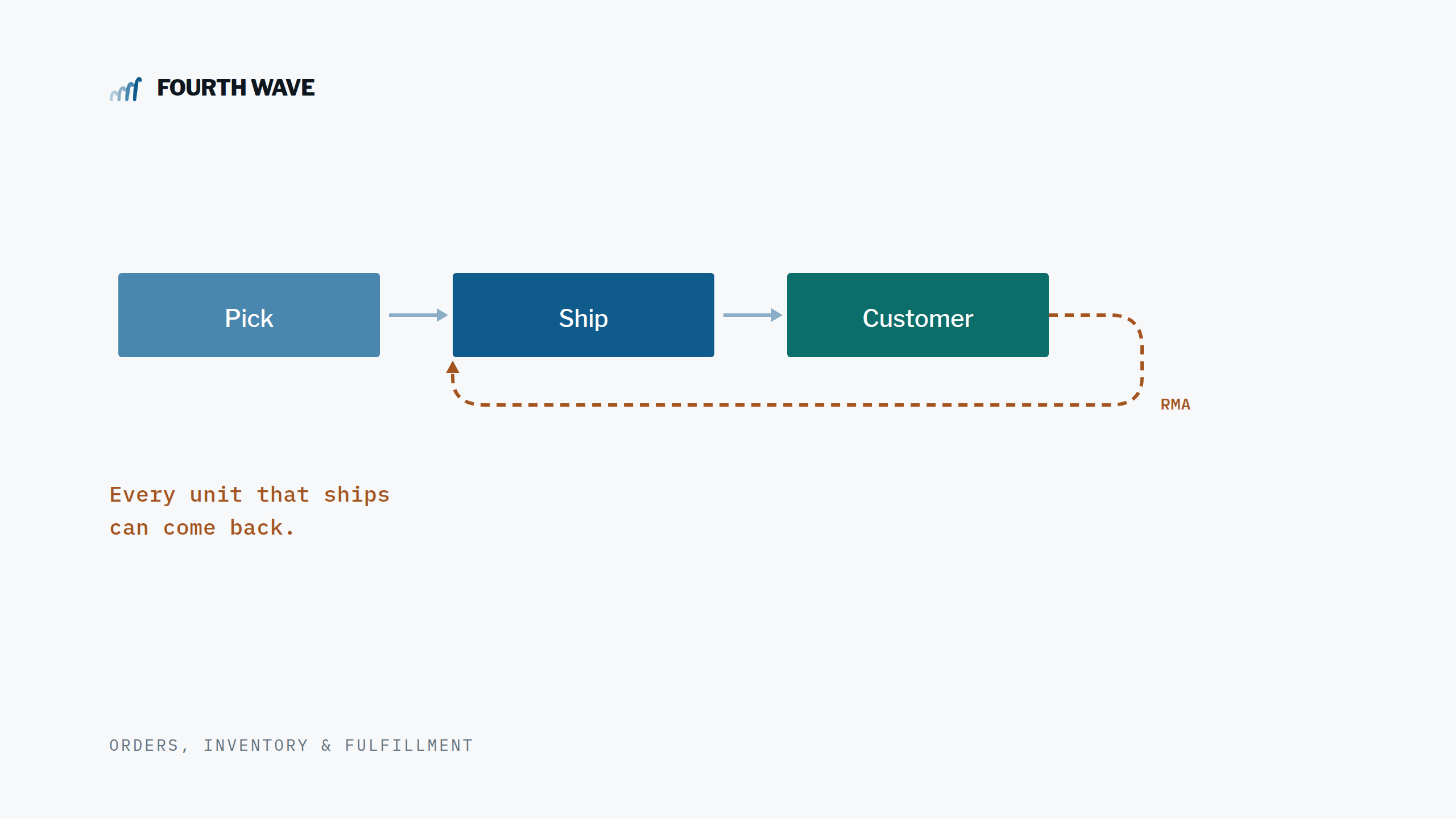
Every serialized unit that ships out comes with the possibility of coming back. RMAs are a fact of distribution — a few percent of every month’s volume — and when a unit returns, the serial tracking layer has to do three things that are easy to overlook in the original build:
- Mark the serial as returned, so the database reflects physical reality.
- Release the serial for reuse, so the same physical unit can ship again to a new customer if it’s refurbished or restocked.
- Preserve the full history — who had it, when it shipped, when it returned, on what RMA — so the warranty/recall use case still works for the lifetime of the unit, not just its first trip.
Without those three things, the picking-only solution slowly degrades into a one-way log: serials accumulate but never close out. The first time a customer returns a unit that someone needs to re-ship, the warehouse hits a wall — the system says “already shipped” and blocks the pick. Or worse: the original serial record stays in place pointing at the wrong customer, while the same physical unit ships again under a new record. Now your database has two truths about one unit.
The clean-on-the-outbound, messy-on-the-return pattern is one of the most common ways custom serial-tracking layers age badly. The fix isn’t more code on the pick side — it’s making the return side a first-class part of the lifecycle from day one.
Why returns are harder than they look
Three things make return-side serial tracking trickier than pick-side, and they all show up the moment a real RMA hits the receiving dock.
The receiver doesn’t always know what came back
On the pick side, the system tells the picker exactly what to scan: a specific SKU, a specific quantity, from a specific bin. The picker just needs to confirm. On the return side, that flow inverts. A box arrives. The packing slip might be accurate or it might not. The unit might match the RMA exactly, or it might be a unit from a different order, or a unit from this customer’s previous shipment, or — occasionally — a unit that’s not even ours.
A real-world return process has to handle all of those gracefully. The receiver needs to identify the serial that’s in their hands and tell the system which outbound record it matches — and the system needs to make that easy whether the unit lines up perfectly with the RMA or it’s been around the block.
The original serial isn’t always findable
Customers don’t return units cleanly. A unit might come back against the wrong RMA, with a damaged barcode, with a serial that doesn’t quite match the format we expected, or with no serial label at all. The receiver still needs to record the return. The system has to provide a path for every one of those — including the case where a unit comes back that genuinely has no outbound record at all (the “blind return”).
A receiver who can’t process a real return because the software won’t accept the data will end up doing the work somewhere else: a spreadsheet, an email, a sticky note. And then you’re back to the gap the system was supposed to close.
Mistakes happen — and need to reverse cleanly
Just like reverse pick on the outbound side, the receiving process needs an undo. If a receiver matches the wrong serial, posts the receipt to the wrong RMA, or simply needs to redo a receipt, the cleanup has to be automatic. Otherwise the same orphan problem we solved on the pick side reappears on the return side: receipts get deleted in NetSuite’s inventory subledger, but the custom serial records stay stamped “Returned” against a transaction that no longer exists.
Every one of these failure modes is recoverable if the system is designed for it. None of them is recoverable if the system was built for the happy path only.
The return-side architecture
For our electronics distributor client, we extended the same lightweight serial-tracking layer to handle the full lifecycle. The receiver workflow is built into the standard NetSuite Item Receipt screen — not the WMS handheld — because that’s where RMA receipts naturally happen in their operation. A save-driven popup walks the receiver through one serial-tracked line at a time, with three ways to identify each returned unit.
Scan-first, list-as-fallback
When a unit arrives with a readable barcode, the receiver scans it directly into the popup. The system resolves the scan in real time against the live database, finds the original outbound record, and previews the match — order, customer, ship date — for confirmation. Most returns flow this way: one scan per unit, fast and unambiguous.
When the label is damaged, missing, or unreadable — or when the receiver needs to verify before committing — they can pick from a list of candidate serials instead. The list defaults to the narrowest sensible scope, then widens on demand.
A tiered search that widens only when needed
Most returns map cleanly to their originating sales order: the customer references the original SO on the RMA, ships the same unit back, and the receiver finds it on a short list. But some don’t. A customer might return a unit on a fresh RMA that doesn’t reference any prior SO. Or they might ship back a unit from a previous order entirely. The system handles all of these by widening the search in stages:
- Tier 1 — serials shipped on the source sales order. The default. Almost always the right list.
- Tier 2 — all serials of this item shipped to this customer, across any order. The fallback when the customer mixed up which RMA the unit goes against.
- Tier 3 — all serials of this item shipped to any customer. The catch-all for unusual cases: cross-shipped units, mislabeled returns, or genuinely unknown sources.
Each tier shows only active (currently-out-in-the-field) serials. Already-returned units are filtered out so they don’t confuse the receiver or get accidentally double-processed.

Blind returns, handled explicitly
Sometimes a unit comes back that has no outbound record at all. It might be a legacy unit that shipped before the tracking system existed. It might be a unit that came in through a non-standard path. The receiver scans it, gets a clear “no active record found” message, and confirms whether to create a new return record anyway. The unit still enters the traceability database — flagged as a blind return so it’s distinguishable later — and the warehouse moves on. The system never blocks a real-world return because of data it can’t find.
Reuse-after-return, by design
When a returned unit is refurbished or restocked and goes out to a new customer, the system handles it cleanly. The original return record stays in place — it’s the unit’s history. A brand-new record is created for the new shipment with its own customer, ship date, and order link. The same physical serial number can cycle through ship → return → ship-again as many times as the unit’s lifetime allows, and the database tells the full story every time.
This is the part of the design that pays off in year two. The first time a customer calls about a serial that’s been around the block, you can read its entire journey off one record set — every shipment, every return, every customer. Not reconstructed from email threads.
Reversal that’s truly automatic
If a receipt is created in error, deleting it in NetSuite reverses everything — including the custom serial layer. Records that were marked Returned by that receipt automatically revert to Shipped, with the RMA and receipt links cleared. Records that were created as blind returns by that receipt are deleted entirely. The receiver doesn’t need to remember any cleanup. The system handles it.
What a unit’s life looks like, end to end
Pull together the picking layer from the previous post and the return layer described here, and a single serial number’s lifecycle looks like this:
- Captured at the WMS handheld at pick. Format-validated against the item’s pattern. Duplicate-checked against the live database. Linked to the order, line, and item.
- Stamped with the ship date and customer when the Item Fulfillment commits. The unit officially leaves the building under that serial, tied to that customer, on that date.
- Reverse-picked cleanly if the original pick was wrong. The record is removed; no orphan.
- Marked Returned at RMA receipt. Status flipped, return date stamped, both the RMA and the Item Receipt linked. All prior history preserved.
- Reusable on the next shipment. The same serial can ship again, creating a new record alongside the returned one. Two rows, two journeys.
- Reversible at every step. Delete the Item Fulfillment and the picking layer reverses. Delete the Item Receipt and the return layer reverses. The database stays in sync with physical reality regardless of which way a transaction gets rolled back.
That’s the lifecycle we set out to build when the project started. Capture-at-pick was step one. Return-with-reuse is the half that completes it.
Why this matters more than it seems
The pick-side case for serial capture is easy to make — warranty lookups, recall response, audit readiness. The return-side case is harder to see until you’ve watched a distributor try to live without it. A few of the patterns we see:
- Restock confusion. A unit comes back, sits on the shelf, ships again — and nobody can tell which customer currently has it. The warehouse trusts physical reality; the system trusts whatever the last record said. They drift apart.
- Warranty disputes. A customer calls in claiming their unit is under warranty. The receiver can find the original ship date — but not the return-and-reship that happened in between. The warranty math is wrong, and someone in customer service has to reconstruct it from email.
- Recall blind spots. A manufacturer recalls a serial range. The system can list every customer that ever received an affected unit — but if some of those units came back and were re-shipped, the current owner isn’t who the database thinks it is. The recall notice goes to the wrong customer.
Each of these is a quiet, slow-burning problem. None of them shows up as a daily fire. All of them erode trust in the data over time, and the trust is exactly what the serial-tracking layer was supposed to provide.
Building the return side from the start — with reuse, with reversal, with blind-return support — means none of these patterns ever takes root.
How it deploys alongside the pick side
The return-side build adds two pieces to the architecture from the original post: a Restlet that handles the tier lookups, scan resolution, and status flips on the server side, and a User Event + Client Script pair on the Item Receipt that drives the receiver popup. Like the pick side, none of it patches bundled NetSuite scripts — the integration points are all standard customization surfaces, fully upgrade-safe, deployed through SuiteCloud Development Framework.
Adding return tracking to an existing pick-side deployment is typically a couple of weeks: an extension to the custom record schema for the new lifecycle fields, the new scripts, and a UAT pass covering the four return paths (clean RMA, partial return, blind return, deleted-receipt reversal). For a greenfield deployment doing pick + return together, the additional time is marginal — both sides share the same custom record and most of the same supporting infrastructure.
Most clients we work with build the pick side first, run it for a quarter, and then add the return side once they’ve felt the gap. That works fine. But if you know up front that returns are part of your operation, building both at once costs less than the staged approach — and you avoid the period in between where serials accumulate but never close out.
Want to talk?
If you’re a distributor running serialized products through NetSuite WMS and you’ve been told your only options are “turn on full serialized inventory” or “manage returns in a spreadsheet,” there’s a third path. We’ve built the full lifecycle — capture at pick, reuse after return, recall-ready traceability — for clients in electronics, audio equipment, and high-value distribution. Reach out and we’ll walk through what it would look like in your environment.
Fourth Wave Consulting — NetSuite WMS specialists building real solutions for real warehouses.
Author: Renee Chandler, Fourth Wave Consulting. NetSuite WMS implementation and SuiteScript development.